Choosing the right platform among Webflow, WordPress or Shopify for a ecommerce store is not just a question of personal preference it directly affects your growth potential, operational efficiency, and ability to scale. Whether you are a small business owner, an ambitious startup, or a growing e-commerce brand, picking the wrong platform can create unnecessary friction, costly redesigns, and missed opportunities.
In this guide, we’ll dissect three of the most popular platforms; Webflow, WordPress or Shopify. By the end, you’ll understand their strengths, limitations, and best use cases, so you can make an informed decision for your business.
1. Webflow: Visual Development Meets Technical Power
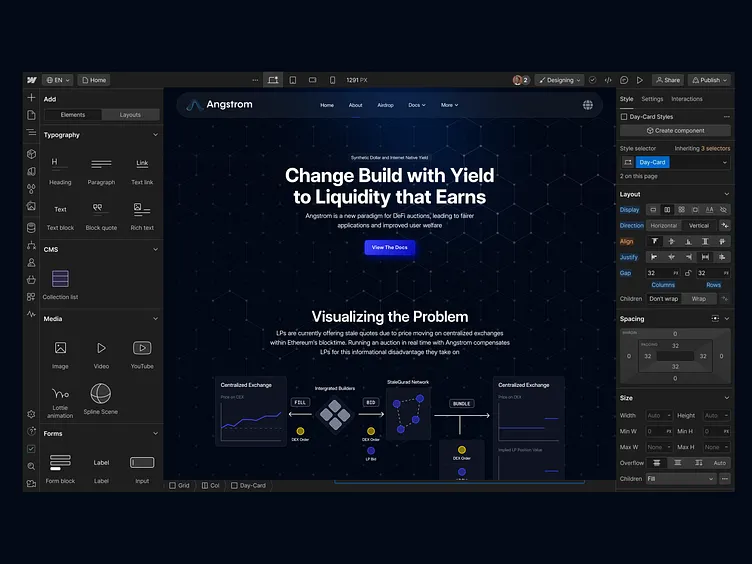
Webflow is often described as a visual development platform. It combines the flexibility of coding with the simplicity of a drag-and-drop interface. Unlike traditional website builders, Webflow gives designers the power to implement custom layouts, animations, and interactions without needing to hand off every detail to a developer.
Technical Strengths
At its core, Webflow generates clean HTML, CSS, and JavaScript code. This matters because clean code affects site performance, SEO, and maintainability. Designers can create responsive layouts with precise control over breakpoints, custom interactions, and micro-animations.
CMS functionality in Webflow allows content teams to update blogs, product pages, or portfolios dynamically. Unlike some rigid builders, the CMS is fully integrated with the visual design, meaning developers don’t have to rebuild templates for each new piece of content.
Webflow also supports integrations with essential business tools. From marketing automation platforms like HubSpot or Mailchimp, analytics tools like Google Analytics or Hotjar, to e-commerce integrations with Stripe or PayPal, Webflow can support complex workflows without custom backend engineering.
When to Choose Webflow
Webflow websites are ideal for:
- Businesses that want pixel-perfect control over design
- Startups that need a fast, flexible website without committing to heavy backend infrastructure
- Marketing teams that rely heavily on custom landing pages and dynamic content
The main consideration with Webflow is that, even though it is flexible, it has a learning curve. Designers not familiar with CSS or HTML concepts may feel constrained. Also, as your website scales into a full-fledged e-commerce platform with thousands of SKUs, Webflow’s native e-commerce functionality might start to show limitations.
2. WordPress: The Open-Source Giant
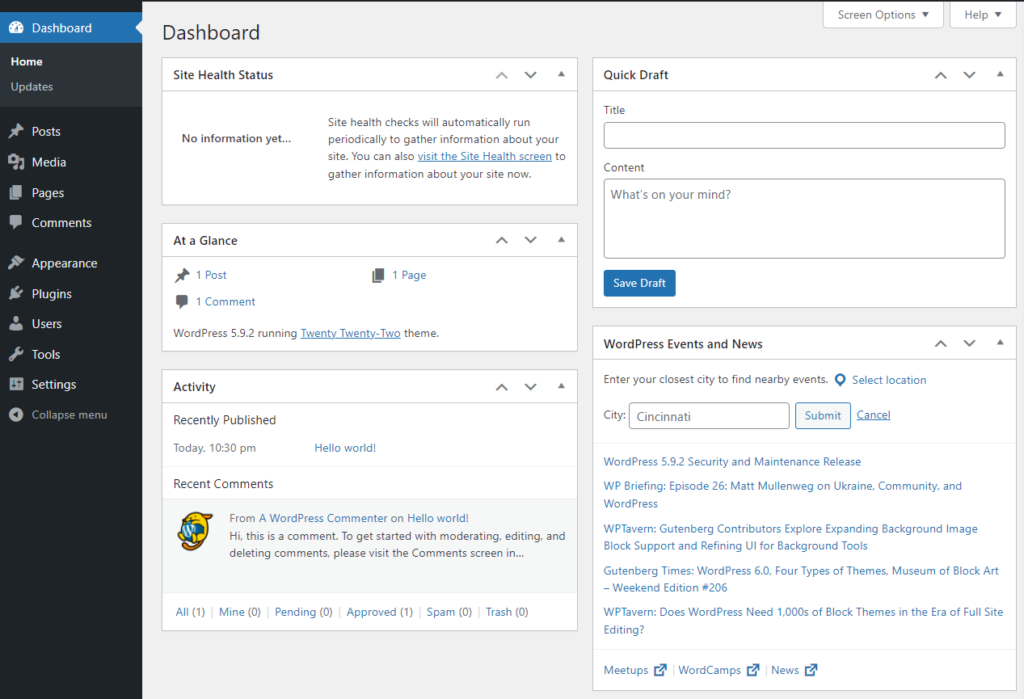
WordPress powers over 40% of all websites worldwide, and for good reason. Its open-source nature allows unprecedented flexibility through plugins, themes, and custom code.
Technical Strengths
WordPress separates content from presentation, with a robust theme and plugin ecosystem. Need SEO optimization? Plugins like Yoast SEO and Rank Math make on-page SEO easier for non-technical users. Need complex forms, memberships, or marketplaces? There’s likely a plugin for that, from Gravity Forms to WooCommerce.
Developers love WordPress because it is PHP-based, widely supported, and easy to extend. You can implement custom post types, custom APIs, or integrate with third-party tools using REST APIs. The ecosystem also supports headless implementations, where WordPress serves as a backend CMS while a custom frontend (React, Vue, Next.js) handles the UI.
When to Choose WordPress
WordPress is best suited for:
- Content-heavy sites like blogs, media sites, or knowledge bases
- Businesses that need scalability with custom features
- Teams that have access to developers who can manage updates, security, and server infrastructure
However, WordPress requires maintenance. Themes and plugins need regular updates to avoid security risks, and performance can degrade if not optimized. Hosting matters significantly—shared hosting may be cheap, but for speed and reliability, managed WordPress hosting with caching and CDN integration is usually recommended.
3. Shopify: The E-Commerce Workhorse
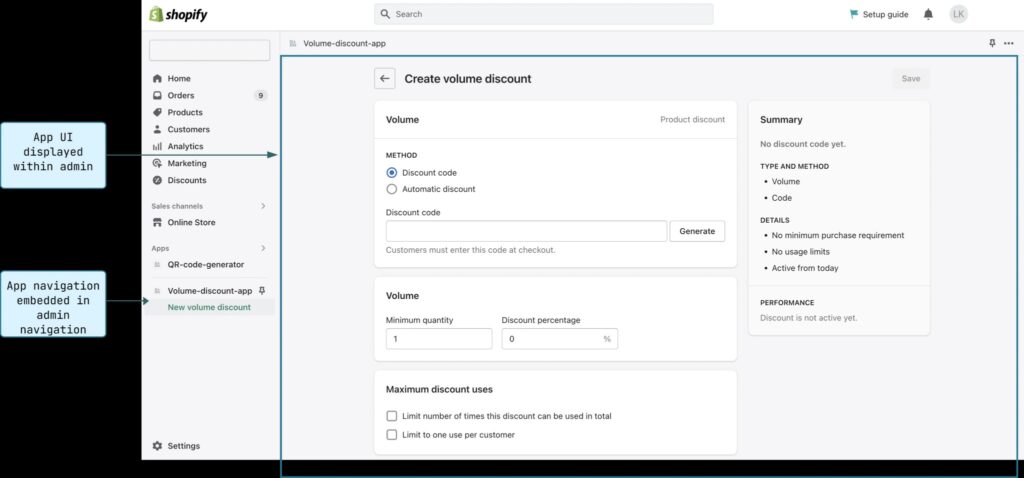
Shopify is purpose-built for e-commerce. Unlike Webflow or WordPress, Shopify prioritizes sales functionality, checkout optimization, and inventory management over design flexibility.
Technical Strengths
Shopify provides a secure, PCI-compliant checkout out-of-the-box. It handles inventory, shipping, taxes, and payment gateways, reducing the technical overhead for SMBs. Its theme system, while less flexible than Webflow, allows for customization through Liquid templates, and developers can extend functionality with apps from the Shopify App Store.
Shopify also offers multi-channel integrations Facebook, Instagram, Amazon, TikTok, and more making it easy for businesses to sell wherever their customers are. Analytics and reporting are baked in, giving store owners visibility into conversion rates, customer lifetime value, and cart abandonment.
When to Choose Shopify
- Businesses with e-commerce as a primary revenue stream
- SMBs that want a turnkey solution for inventory, payments, and shipping
- Teams that prioritize operational efficiency over full design control
The main trade-off is customization. Shopify can be styled extensively, but highly unique layouts or complex logic often require a developer familiar with Liquid and Shopify’s API.
4. Comparing the Platforms Head-to-Head
While each platform has its niche, comparing them on key technical and business dimensions helps clarify the choice:
- Design Flexibility
- Webflow: Maximum visual control, micro-interactions, responsive design
- WordPress: Flexible, depends on themes and custom development
- Shopify: Moderate, mostly theme-based with coding for advanced customization
- E-Commerce Capability
- Webflow: Suitable for small catalogs
- WordPress: Powerful via WooCommerce or custom plugins
- Shopify: Built for e-commerce at all scales
- Maintenance & Technical Overhead
- Webflow: Low to moderate
- WordPress: Moderate to high
- Shopify: Low
- Scalability & Integrations
- Webflow: Great for small to mid-size projects
- WordPress: Unlimited potential with developers
- Shopify: High, especially for commerce, multi-channel sales
- User Accessibility
- Webflow: Designers & marketers can update content with a learning curve
- WordPress: Editors can update easily; developers required for heavy customization
- Shopify: Non-technical users can manage products, orders, and content easily
5. Real-World Considerations
When choosing a platform, consider not just technical capabilities but business context:
- Budget & Team Skills: Do you have developers, designers, or marketing staff?
- Growth Plans: Will your business scale quickly? Do you need multi-site capabilities?
- Content Needs: Is your focus mostly on e-commerce, blog content, or a hybrid?
- Time-to-Market: Do you need a fast launch or can you invest in custom development?
Example scenarios:
- A small boutique selling 50 products → Shopify for speed and simplicity
- A content-first startup → WordPress for content management and flexibility
- A creative agency portfolio → Webflow for visual design control
6. Integrations and Automation
In 2026, platform choice is inseparable from integrations. Modern businesses rely on automation to reduce manual work and increase efficiency.
- Webflow integrates with Zapier to automate workflows, or Airtable to manage content pipelines.
- WordPress has plugins for CRM integration, email automation, and analytics dashboards.
- Shopify connects with inventory management, fulfillment services, and marketing platforms seamlessly.
A platform among Webflow WordPress or shopify that can easily integrate with tools you already use like Google Ads, HubSpot, or Facebook Ads reduces friction and accelerates ROI.
7. Performance, SEO, and Security
Technical aspects like speed, SEO, and security cannot be ignored:
- Webflow generates clean HTML and supports SEO-friendly practices like meta tags, alt attributes, and schema markup automatically.
- WordPress depends on themes, plugins, and hosting quality. Poorly coded plugins can slow sites and create vulnerabilities.
- Shopify manages security and performance at the server level, freeing the business from technical headaches.
Investing in the right platform from the start ensures faster load times, better rankings, and lower bounce rates all critical for conversion and retention.
8. Key Takeaways
- Webflow: Best for pixel-perfect design, dynamic content, and marketing-driven projects.
- WordPress: Best for content-heavy, scalable, and highly customizable projects.
- Shopify: Best for commerce-first businesses needing fast, reliable, and multi-channel operations.
Platform choice should align with business goals, team skill sets, and growth plans. There is no universal solution, but understanding technical trade-offs ensures you pick the platform that will support your business now and as you scale.
Why Zenomo is the best Ecommerce Agency for you needs?
Zenomo is a technically driven and focuses on custom solutions for our clients. We take into account whether your needs are for a Shopify Stores, or can be done with the help of WordPress. So if you’re thing it would be a headache to choose and research between Webflow, WordPress Or Shopify, don’t worry we have got you covered. Book a free consultation with us today!